Purchase Offers
Last updated: June 23, 2025
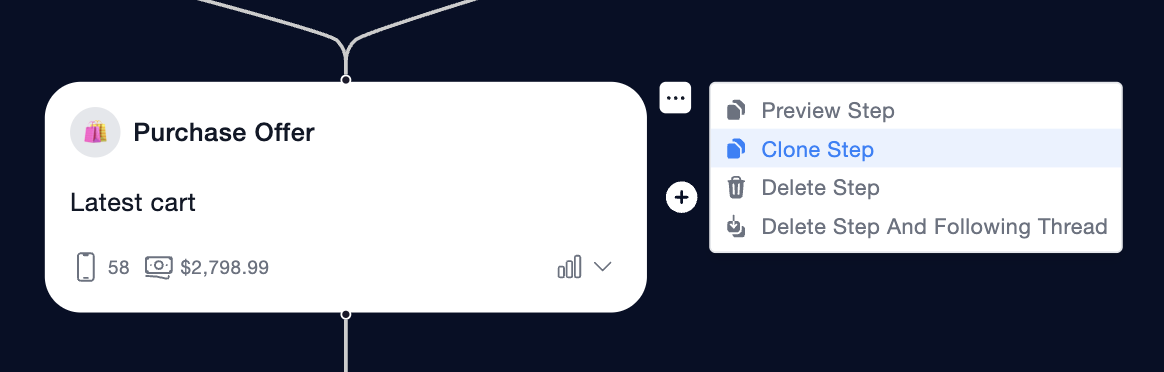
Purchase Offer sends a specific product or cart, designed for fast, frictionless checkout. It’s built for text-to-buy and optimized for conversion, making it your go-to for cart recovery, flash sales, and personalized promotions.
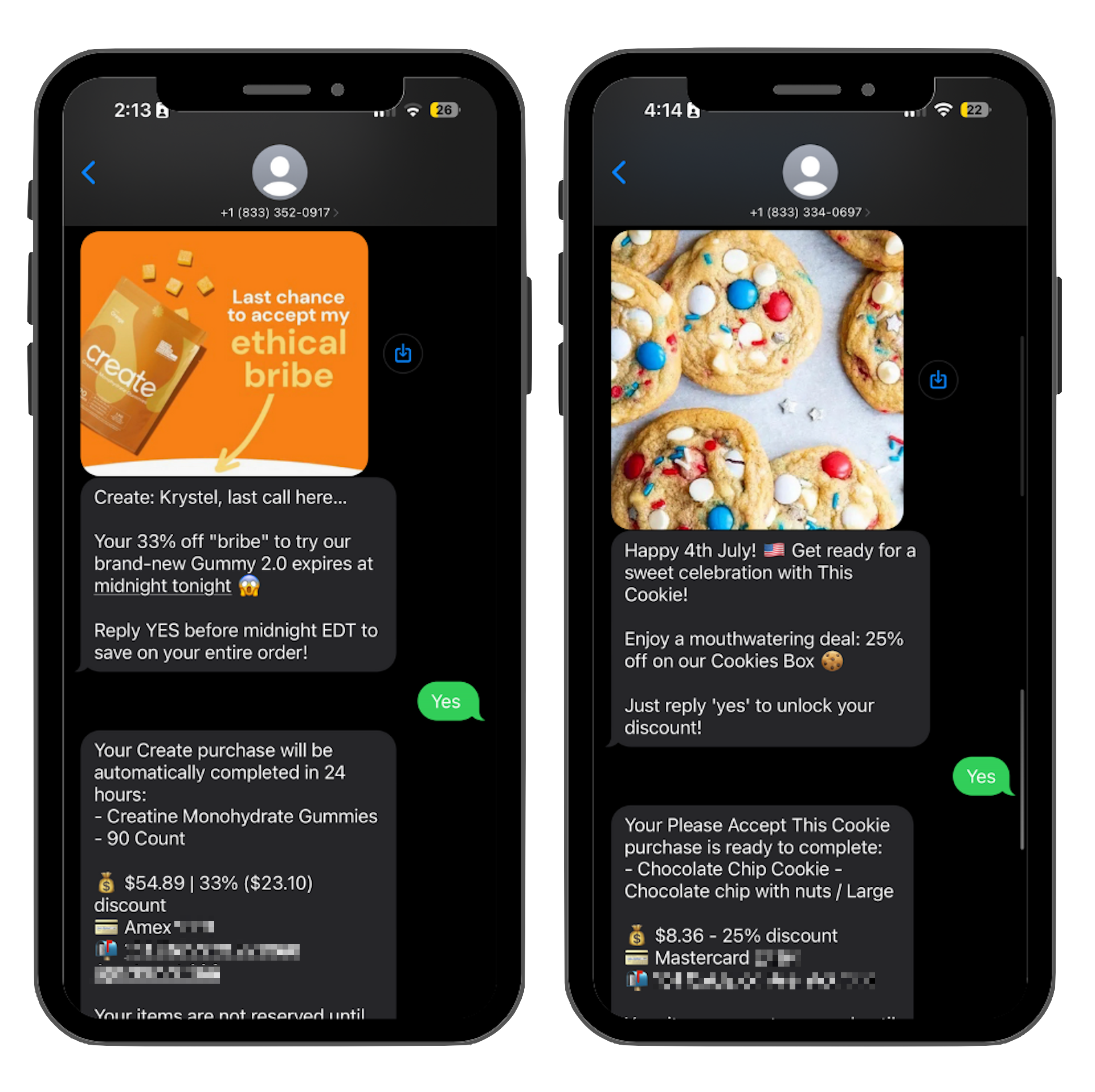
When to use it:
Cart recovery flows (we already know what’s in the cart)
Win-back or retention campaigns
Post-purchase upsells or restocks
Personalized 1:1 offers from a concierge agent
Subscription upsell opportunities
Why use it:
This is your power tool for selling through SMS. It creates a ready-to-checkout cart, handles edge cases (like expired carts or missing inventory), and supports smart behaviors like reminders and upsells.
How to use it:
Draft Your Content
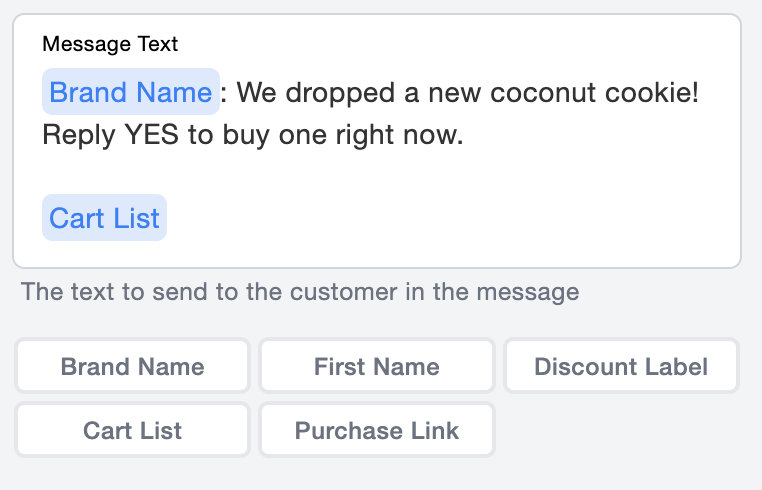
Describe the specific offer to the customer with a clear affirmative CTA (e.g. "Reply YES to buy").
Use the Cart List variable to automatically fill in the products in the message.
Use the Purchase Link variable to take the customer directly to checkout.
We recommend only using Cart List or Purchase Link, but not both. When ROI matters, Purchase Link will often save the most characters.
Create the Cart
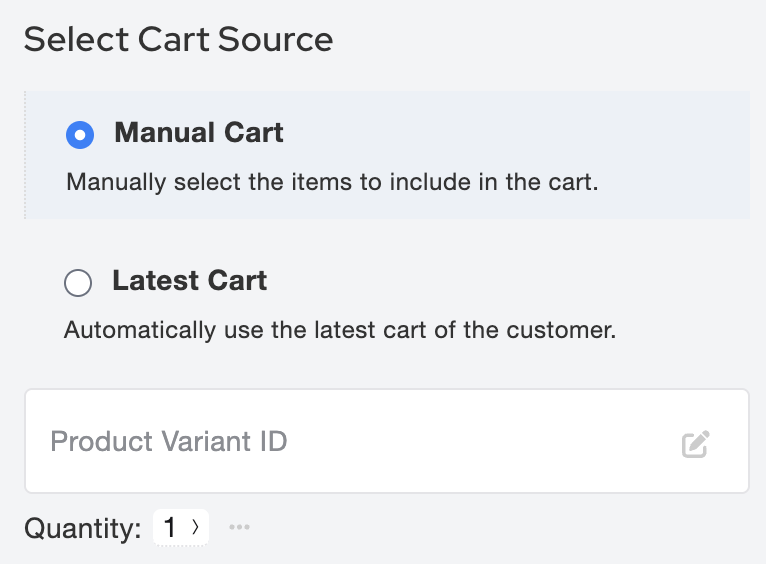
Build the cart that the customer will purchase, either manually or automatically using the customer's most recent cart
OneText maintains cart data for customers for 90 days, longer than Shopify's own cookies!
Add a Discount Incentive
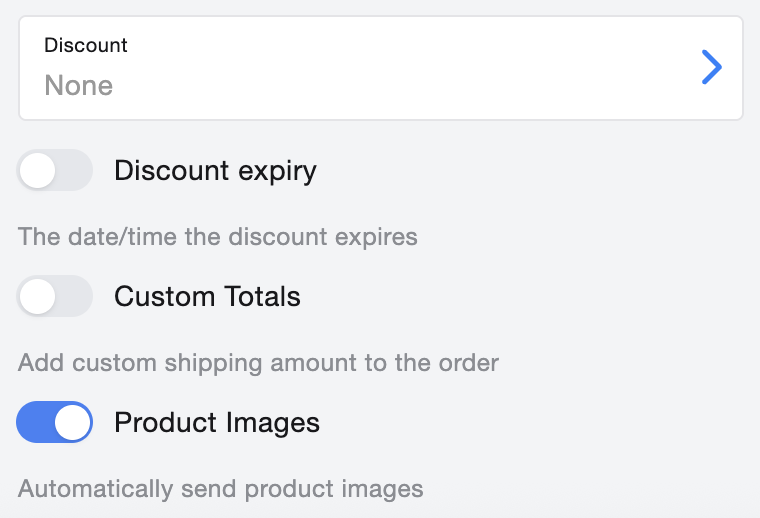
If you are running a sale, include a discount percentage or code from the dropdown menu.
Use Custom Totals to set free shipping if desired
Let OneText Do the Rest
The campaign will automatically list the offer, allowing customers to accept with a simple "yes" reply. This keeps the interaction simple yet engaging, allowing customers the freedom to shop with the convenience of a text.
What it supports:
A specific product or set of products
Personalized copy with variables
Smart reminder logic (if the shopper doesn’t reply)
Optional subscription upsell logic
Optional free shipping override
Optional product image previews
Behavior details:
Shoppers can reply YES to buy, or tap the embedded link to purchase instantly
A reminder message is auto-triggered if the shopper doesn’t engage within a set window
If an item sells out, OneText will automatically adjust the cart or drop the item based on availability
If a customer's cart has expired, OneText can offer a configurable fallback message (usually a site link)
What it doesn’t do:
Doesn’t give customers a choice between items (use Product Choice for that)
Not ideal for generic announcements or simple links (use Message for that)
Best practice:
Use Purchase Offer when you know exactly what to offer and want to minimize friction. It’s ideal for retargeting high-intent shoppers or driving revenue from a specific SKU or bundle.